



TLDR: Regular monitor maintenance and calibration are essential for optimal display performance and longevity. Key practices include cleaning the screen, calibrating for color accuracy, adjusting settings for your environment, checking cables, and keeping firmware updated. These steps enhance visibility, reduce eye strain, and improve overall productivity.
In today's fast-paced digital landscape, maintaining the performance of your display is crucial for ensuring optimal productivity and user experience. Regular monitor maintenance and calibration can significantly enhance the longevity and accuracy of your devices. Here are some essential strategies to keep your display in top shape.
First and foremost, it’s essential to clean your monitor regularly. Dust and grime can accumulate on the screen and impede visibility. Using a microfiber cloth and a gentle cleaning solution, you can effectively remove these residues without damaging the display. It's advisable to avoid using harsh chemicals that could harm the screen's coating.
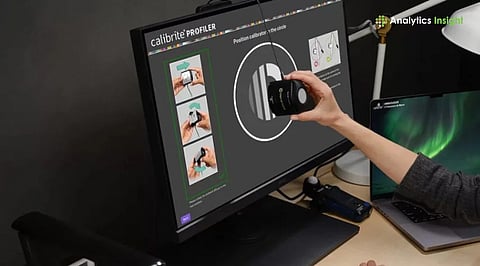
Calibration is another critical aspect of display performance. Over time, monitors may drift from their optimal settings, resulting in poor color accuracy and contrast. Utilizing built-in calibration tools or professional calibration software can help restore the display's intended color profile. This is particularly important for graphic designers and photographers who rely on precise color representation.
Additionally, adjusting the display settings based on your environment can enhance visibility and reduce eye strain. Factors such as brightness, contrast, and color temperature should be tailored to your workspace lighting. For instance, in a brightly lit room, increasing brightness can help counteract glare and improve clarity.
Another aspect of monitor maintenance is checking the cables and connections. Ensuring that all connections are secure can prevent display flickering and other issues. Regularly inspecting cables for wear and tear is also crucial; damaged cables can lead to signal loss and degrade display quality.
Lastly, keeping your monitor's firmware up to date is vital. Manufacturers often release updates that improve performance and fix bugs. Many modern monitors offer automatic updates, but it's wise to check periodically to ensure you're benefiting from the latest enhancements.
In conclusion, implementing a routine of monitor calibration and maintenance can significantly improve your display's functionality and lifespan. By taking these proactive steps, you can enjoy a visually stunning and efficient workspace that meets all your professional needs.
Please consider supporting this site, it would mean a lot to us!
